Showing posts with label resetter. Show all posts

Tuesday, November 26, 2013

Resetter Epson T and TX series Contain Trojan horse

Loader.exe on Resetter Epson T and TX series Contain Trojan horse…??. Don’t worry if you are using or will use adjustment program Epson T and TX series. The possibility of this problem is caused the error code writing when OrTHoTaMiNe cracked this program. I know this problem when backing up data and program on my computer to DVD.
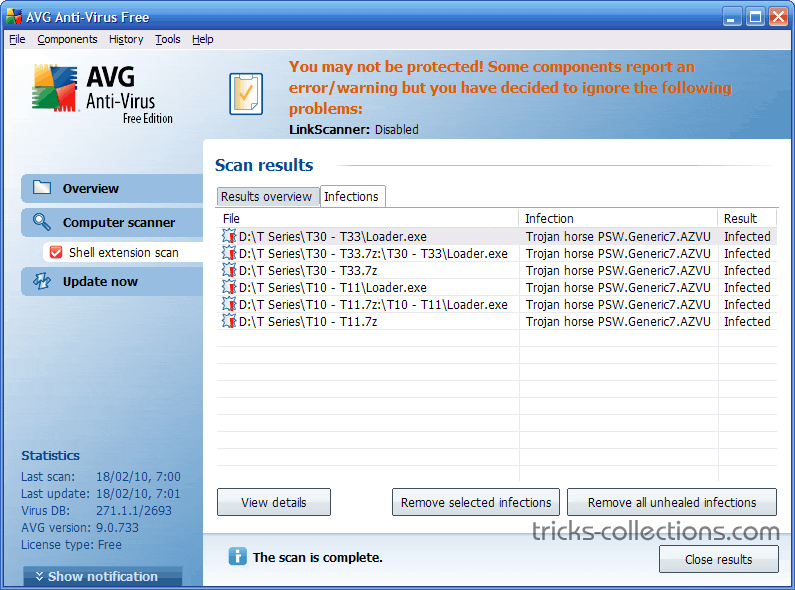
On my Computer I use AVG 9 free version with the latest update (February 18, 2010). Other antivirus software might not detect a Trojan horse in the adjustment program.
Here the screenshot scan results of AVG 9 installed on my Computer.  This Antivirus detects “Trojan Horse PSW Generic 7.AZVU” on Loader.exe.
Trojan Horse PSW Generic 7.AZVU on Loader.exe

Monday, November 25, 2013

Resetter Epson R1900

Adjustment Program Epson R1900 or Software Resetter Epson R1900. The adjustment is from OrTHoTaMiNe, he send me download link the Adjustment Program Epson R1900 or software Resetter Epson R1900. Such as Adjustment program Epson TX200 in my previous post this software need load loader to run the software in any computer.
How to reset Waste Ink Pad Counter for R1900 using this software.
Before follow this steps download the adjustment program Epson R1900 and extract.
  • To run to the program click loader.exe, then click accept. Don’t click adjprog.exe directly.
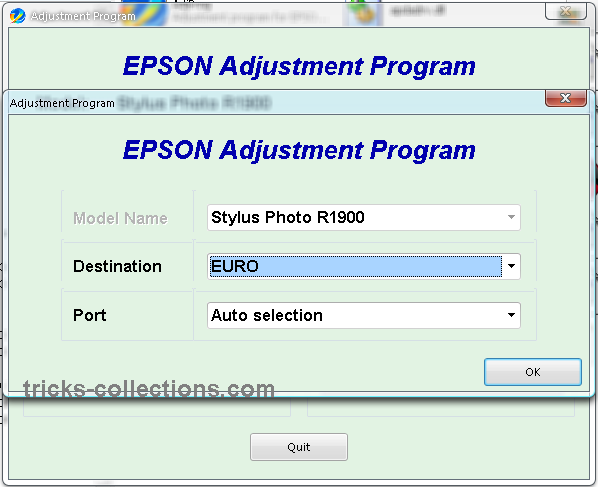
  • Set port setting and destination, or you can select auto selections -Ok. Click particular adjustment mode.
    adjustment program epson R1900 setting
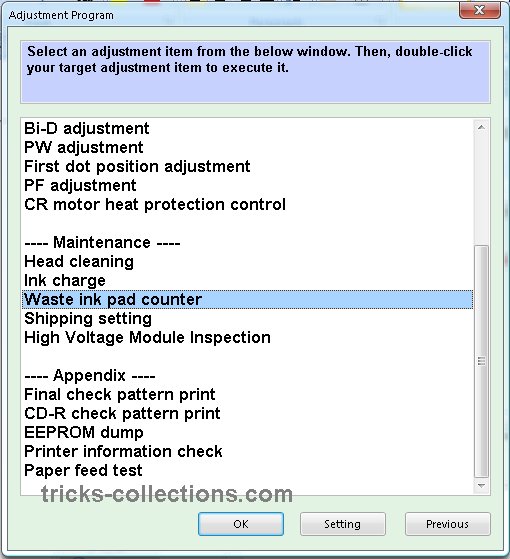
  • Select waste ink pad counter from maintenance menu.
    Adjustment Program Epson R1900 menu
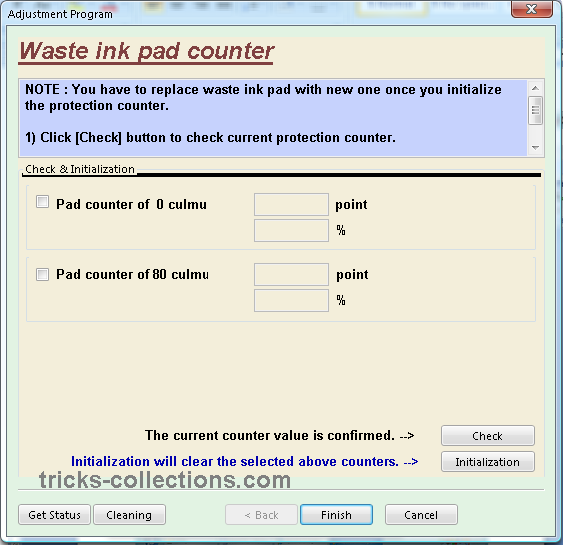
  • Click initialization button to reset the counter.
    Adjustment Epson R1900 Reset Waste Ink Counter
Download link for Adjustment Progran epson R1900 or Software resetter Epson R1900: http://rapidshare.com/files/295639096/R1900_by_OrTHoTaMiNe.rar.html
Alternate Link: http://www.mediafire.com/?hnoguiunznn

Thursday, November 14, 2013

Software program Resetter for Epson TX700 and TX 720WD


Software program Resetter for Epson TX700 and TX 720WD

FIX PRINTER ERROR "parts inside printer end service life, waste ink pad counter overflow error"


Download Software resetter for Epson TX700 (Latin version)
Download Software resetter for Epson TX700 
Download Software resetter for Epson TX720WD

Instruction Procedure to run the resetter:
Step 1:Open the zip file and run the program.

Step 2:click to Accept -> Select Model, Destination, port of your printer.

Step 3:Click “Particular adjustment mode” button.

Step 4:Select "maintainance counter" under maintainance and click ok.

NOTE : You have to replace waste ink pad with new one once you initialize
the protection counter.Otherwise ink can overflow from your printer.

Step 5: Click [Check] button to check current protection counter.

Step 6: Replace waste ink pad with new one.

Step 7: Click [Initialization] to reset current protection counter to "Zero".

Step 8:Click Finish and power off the printer.

Step 9:Power on the printer and your printer is ready to print again.