Showing posts with label of. Show all posts

Monday, June 1, 2015

Guide of Hondalogger


Manual of Hondalogger covers:

Inside you will found about General Information also Spec and Lube Points, Oil Types, Periodic Maintenance and Tune-Up Procedures, Engine Servicing, Disassembly, Reassembly, Engine Removal, Fuel and Lubrication Systems, Carb Rebuild, Carb Adjustments, Electrical System and manyn more inside the repair manual, Wiring Diagrams, Gearbox, Exhaust System, Suspension, Fault Finding, Cooling System, Detailed Specifications, Transmission, Factory Maintenance Schedules, Timing Chain Service, Exhaust Service, Abundant Illustrations, Lots of pictures & diagrams, Not only that still many more.


Service Repair manual found here forManual of Hondalogger!!

Sunday, November 24, 2013

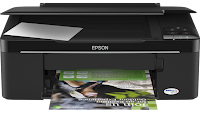
How to Reset the protection counter of Epson TX121 and ME320 Printer


Epson TX121 and ME320 Adjustment Program

FIX PRINTER ERROR "parts inside printer end service life, waste ink pad counter overflow error"
Please follow the steps below to reset the protection counter effectively.

  1. Double click AdjProg.exe.
  2. Click “Accept” button.
  3. Click "Select" button. and select your printer model then click "OK"
  4. Click “Particular adjustment mode” button.
  5. Select on “Waste ink pad counter” and click “OK” button.
  6. Click on “Initialization” button and the program will reset the protection counter.
  7. Turn off the printer as a program instructed then turn on again.
  8. Click “Finish” button. and its done!
Warning: You might end up with ink leaking out of the printer if you dont either replace the waste ink pad or install external waste bin.

Friday, October 25, 2013

Benefits of the XPS Printer Driver

Benefits of the XPS Driver:

Improved color printing

High-fidelity print output

Faster printing of documents with rich graphics

Improved color printing

The operating system can communicate a broader range of color information from applications to inkjet printers that use more than four ink colors (known as wide-gamut printers).

The advanced color capabilities available in XPS make Windows Vista a great platform for printing photos with more lifelike output.

High-fidelity print output

The XPS print infrastructure enables high-fidelity output by reducing or eliminating image data conversions and color space conversions that typically occur during printing.

The benefit for users is that smooth shadings, fades, and glow effects used in modern documents print just as intended, without loss of image fidelity or color fidelity.

Faster printing of documents with rich graphics

With XPS-enabled enterprise class printers—available now from many printer manufacturers—the time spent waiting to finish printing a rich, color graphics document is dramatically reduced.

Consider a Microsoft PowerPoint presentation that has the same color background repeated across 30 slides.

Before XPS, that enterprise printer would render that same color image 30 times, creating a massive "spool" or print file (and a long wait for everyone else that needed the printer). These massive spool files were also a tax on network bandwidth.

With XPS, the color image is sent to and rendered by the printer once.